Guides

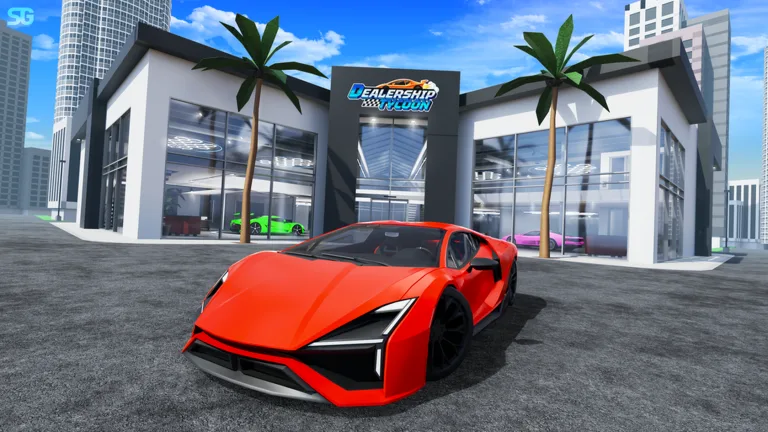
Dealership Tycoon 🏎️ Cars Beginner Guide

Short first-session order for Dealership Tycoon: group bonus, the official code, one platform, then a drive.

Dealership Tycoon 🏎️ Cars Beginner Guide

Short first-session order for Dealership Tycoon: group bonus, the official code, one platform, then a drive.

First session

  1. First session β€” Do these in order on a new account. The longer versions are linked from each step.
  2. Take the free 10 percent β€” Join The Game Chefs. The game page gives members 10 percent more dealership and driving cash.
  3. Redeem the official code β€” Open Settings and enter thxfor100klikes. That is the code printed on the game page.
  4. Raise the first showroom β€” Stand on the lot circle and buy the first floors, walls, and a car pad.
  5. Display a car β€” Buy one car and park it on the pad. It keeps paying and stays drivable.
  6. Drive, then race β€” Drive for miles, then enter a Circuit race if other players are there. First place with a lobby is 28,000 Cash.

Published starter guides

FAQ

Frequently Asked Questions

What do you actually do in Dealership Tycoon?

You claim a lot, step on cash buttons to build a showroom, buy cars, park them on display platforms, drive for distance cash, and race on the Circuit, Highway, and Drag layouts.

How do you earn cash?

The official description lists three income sources: driving, racing, and cars equipped on dealership platforms. Roblox Premium adds 20 percent to dealership and driving cash. The Game Chefs group adds 10 percent to the same two sources.

Which code is printed on the official game page?

The English game page tells players to use thxfor100klikes for money. Code lists that match this place report 140,000 Cash. The page itself does not print the amount.

What is the most expensive car?

One write-up calls the Bugatti Bolide the top cash purchase at 16,000,000 Cash. Another write-up lists a limited Bugatti Vision Gran Turismo at 23,000,000 Cash. Both figures are reported, and they are not reconciled.

Did the September 29, 2026 update add new content?

The Roblox listing shows an update on September 29, 2026. That date is a listing timestamp. No public changelog with that date describes new cars, tracks, or codes.